TypeScript on a microcontroller, from your desk.
A Zinc program runs on an ESP32 with 520 KB of RAM and no PSRAM: the ESP32-2432S022, a 2.2-inch touch board. You write it and run it on your computer, try it in an emulator of the board, and send it over USB or Wi-Fi in about a second. The interface is LVGL, in C, driven from TypeScript.
From your desk to the board, one command at a time.
No ESP-IDF to set up, no serial monitor to open, no board to start with. zinc fetches its pinned tools (esptool, SWC, ESP-IDF when a plugin brings C) the first time it needs them, and the same program runs at every step.
Write it on the computer
zinc run examples/esp32-widgetsA window on your computer. LVGL gets a memory pool the size of the board's heap, so a screen too big for the board fails here too, with the same message.
Check it for the board
zinc check examples/esp32-widgets --target esp32 --engine mquickjsCompiles the program for MicroQuickJS and runs it for 300 frames on the computer, inside the board's heap and with LVGL's C. A feature the board does not have fails here, at your file and line, before anything is sent.
Try it without a board
zinc run examples/esp32-widgets --target esp32 --emulator --liveesp32sim runs the real firmware, the same bytes the board gets, in a window. The mouse is the finger, and the UART prints in your terminal. zinc builds the emulator from its sources the first time.
Send it to the board
zinc run examples/esp32-widgets --target esp32Over USB. zinc writes the firmware the program needs once, then only the program: a few dozen KB of bytecode, in about a second. The console comes back to your terminal, and an error points at your TypeScript line, not at the bundle.
Or over Wi-Fi
zinc run examples/esp32-wifi --target esp32 --host zinc-e3d8.localOnce a board running the network firmware is on your network: a 20 KB program in under a second, a 1 MB firmware in 5.8 s. A firmware that does not start is rolled back by the board.
Ship it
zinc export examples/breakout --target esp32 --engine mquickjsdist/breakout-esp32 gets firmware.bin, the program's image (app.img) and a flash.sh, for people who do not have Zinc.
$ zinc run examples/esp32-widgets --target esp32 --emulator --run-ms 4500
  bundle     examples/esp32-widgets/src/main.ts for mquickjs
  plugin     lvgl: cached native library
  plugin     device: cached native library
  bytecode   89612 bytes, checked for 300 frames under mquickjs 1.1 s
mqjs: firmware zinc-mquickjs 839f67c0
mqjs: free heap 231576, largest block 118784
mqjs: the program was relocated into the flash in 38 ms (once per program and firmware)
mqjs: bytecode of 89612 bytes loaded in 42016 us, free heap 133220
esp32-widgets ready
emulator 4500 ms of an ESP32 in esp32sim 6.0 sMicroQuickJS: JavaScript in 96 KB of heap.
MicroQuickJS is Fabrice Bellard's JavaScript engine for microcontrollers: about 100 KB of code, values in 32 bits, a small fixed heap, a compacting garbage collector. Zinc's firmware runs it with a 96 KB heap beside the screen, the touch and the modules.
It speaks ES5, so zinc prepares the program on the computer. It bundles your TypeScript and the modules you import. SWC lowers it to ES5: let and const, arrow functions, classes, template strings, destructuring, spread, default parameters, ?. and ??. A prelude adds the library functions that are missing. zinc then runs the result for 300 frames inside twice the board's heap, and compiles it to 32-bit bytecode.
The bytecode goes to its own flash partition, and the firmware stays where it is. The board runs it straight from the memory-mapped flash, so a program of up to 256 KB costs no RAM. This is why a change reaches the board in a second: only the program moves.
Not covered, and refused by the check with your file and line: Map, Set, Symbol, Promise and async, generators, Proxy, Date objects. MicroQuickJS is about as fast as QuickJS and 4 to 7 times slower than Zinc's own interpreter (measured on a computer). On the board the program sets values and LVGL does the work in C.
| Module | On the board |
|---|---|
zinc:lvgl | LVGL 9 widgets, flex layout, scrolling, Lottie, animations, a display that turns |
zinc:gfx | the 2D API of the desktop: rectangles, rounded rectangles, text, touch. examples/breakout runs unchanged |
zinc:gpio | pins, and debounced edges from an interrupt |
zinc:storage | keys and values kept in the board's flash (NVS) |
zinc:wifi | the saved network, or a setup page a phone opens (WiFiManager's way), and the clock |
zinc:espnow | packets between boards, with no access point |
zinc:ble | Bluetooth Low Energy; the same API talks to the board from a Mac app |
zinc:device | backlight, heap, chip, flash size, firmware, the last frame's time |
zinc:qrcode | QR codes from text, the same on every engine |
A plugin brings its own C: its native code is written once on Zinc's native ABI (native/x.abi.c). The same file is the plugin's library on the computer and part of the board's firmware, which zinc builds with ESP-IDF and caches. It can even be C++ on Arduino's core, with an Arduino sketch's setup() and loop() running beside the TypeScript program. Native code on the ESP32 →
LVGL, driven from TypeScript.
zinc:lvgl brings LVGL 9.6, the embedded UI library, to TypeScript. Widgets, flex layout, scrolling with inertia, themes, animations and drawing all stay in C. The program holds handles (plain integers), sets values and reads events.
import * as lv from 'zinc:lvgl';

lv.start(240, 320, true, 0x3b82f6);  // dark, accent
const page = lv.screen();
lv.flex(page, lv.FLEX_COLUMN, lv.FLEX_START, lv.FLEX_CENTER);

const volume = lv.slider(page, 0, 100, 60);
const play = lv.button(page, 'Play');
lv.on(volume, lv.EVENT_VALUE_CHANGED,
  () => console.log('volume ' + lv.value(volume)));
lv.on(play, lv.EVENT_CLICKED,
  () => lv.setText(lv.buttonLabel(play), 'Pause'));

// slides into place, moved by LVGL in C
lv.animate(play, lv.TRANSLATE_Y, 80, 0, 400, lv.OVERSHOOT);

lv.run((dt: number) => { /* your frame, before LVGL's */ });- Only what changed is drawn. LVGL renders 32-row bands in RGB565 and sends them to the panel itself, while it renders the next one.
- Outside the JavaScript heap. Objects, styles and layout live in LVGL's memory. The six-page tour is 90 KB of bytecode, Lottie's JSON included.
- Events are queued, not called back. C never calls into JavaScript in the middle of a draw; the frame reads the queue after LVGL's turn.
- The board's limits on your computer. LVGL draws from a pool of the board's size, so "LVGL's memory pool is full" shows up at your desk, not after flashing.
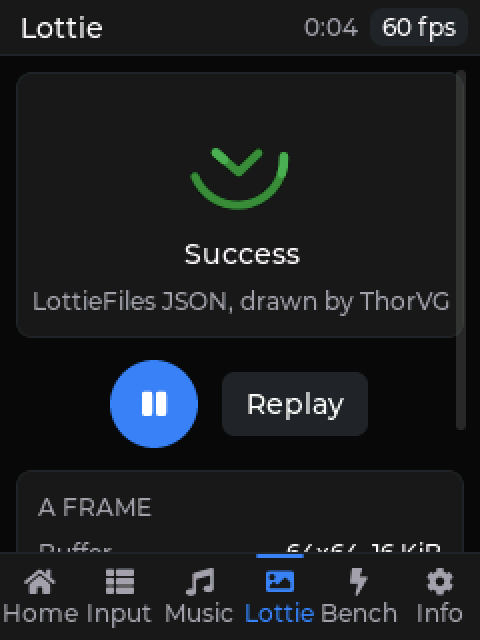
- Lottie and vectors. ThorVG, which LVGL carries, plays LottieFiles animations. 64 x 64 takes a 16 KB buffer.
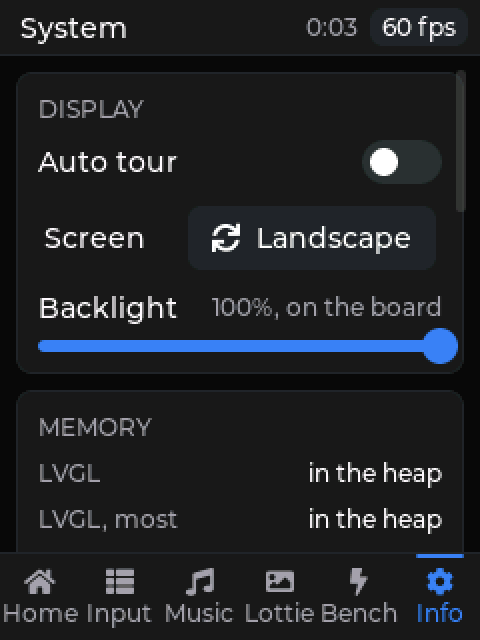
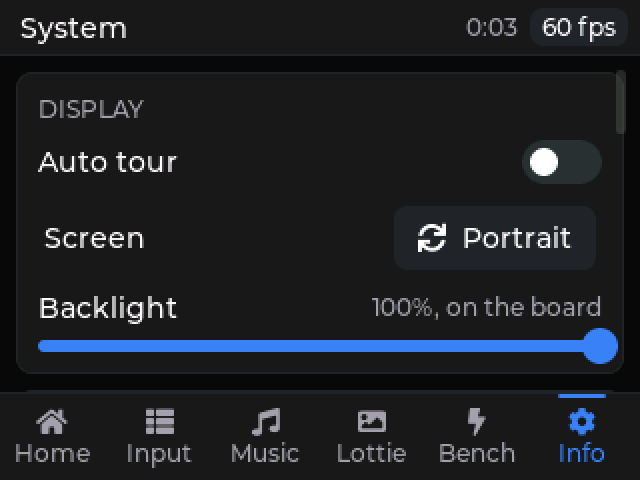
- A display that turns.
rotate()turns the panel and the touch with it, and LVGL lays the screen out again at the new size. - Animations in C.
animate()eases a position, a size, an opacity, a rotation or a scale, with delays, repeats and a way back.
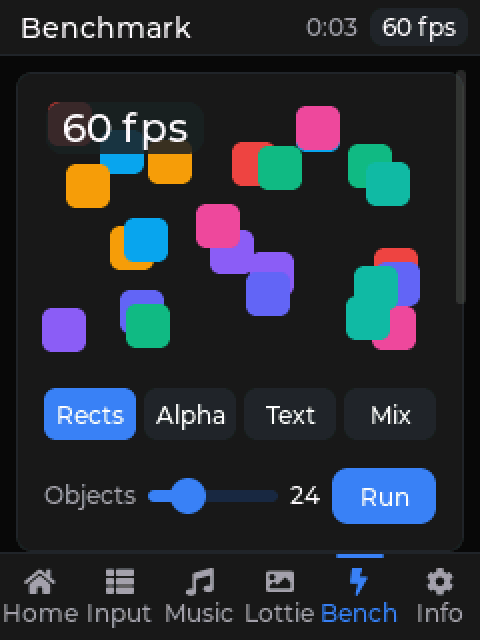
The widgets tour, in the emulator
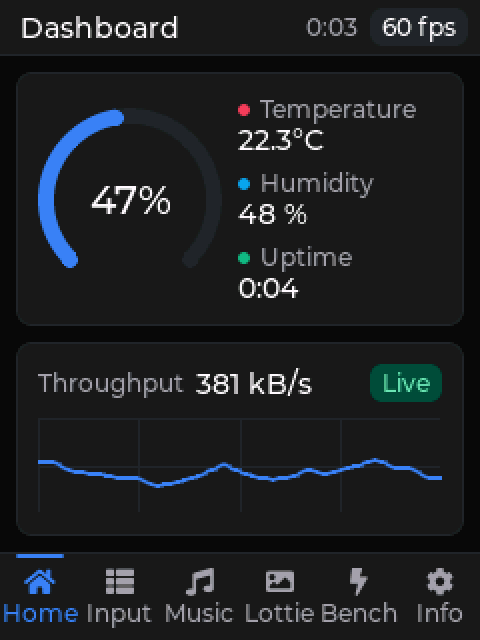
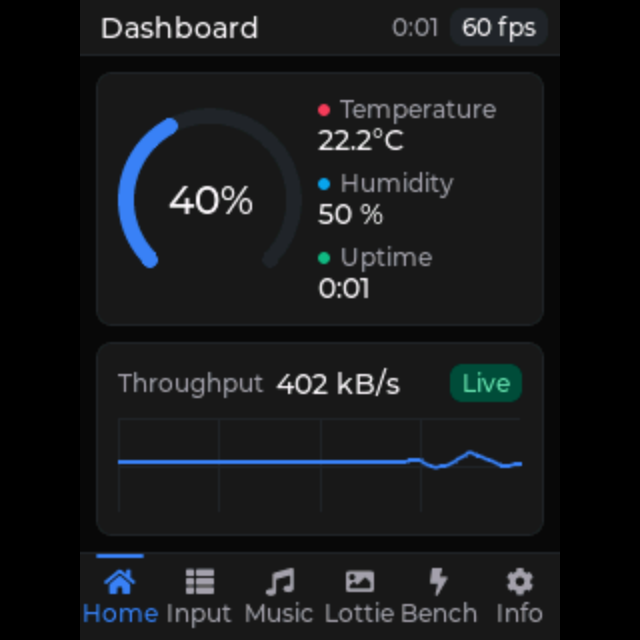
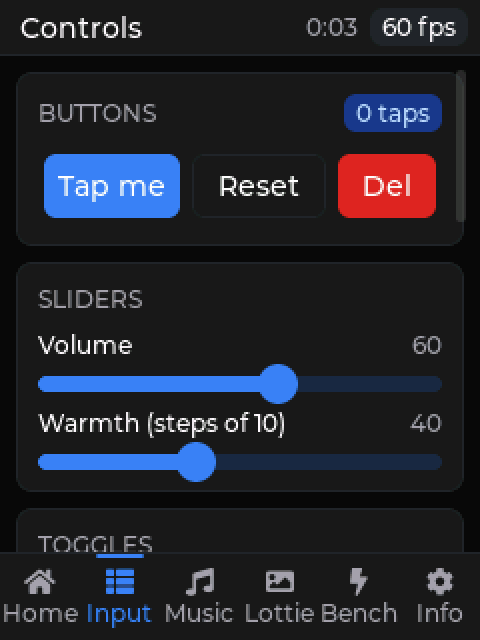
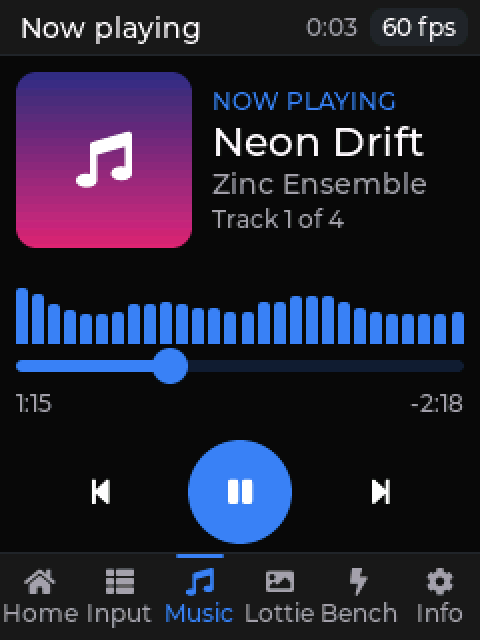
examples/esp32-widgets: six pages under a title bar with the frame rate. Each page is built when it is shown and deleted when it is left. Captured from esp32sim, which runs the board's firmware.
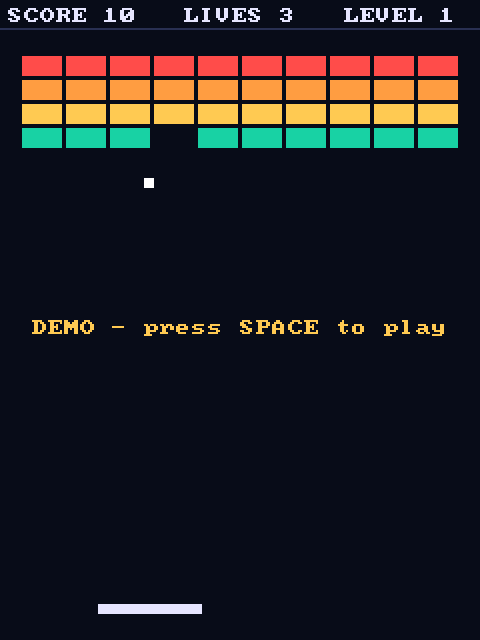
examples/breakout, the desktop game, unchanged on the board.The numbers, and where they come from.
Two kinds of figures. Some were measured on the board. The LVGL ones come from esp32sim: it emulates the chip and counts its time, but not the time the panel's bus takes. A full-screen redraw on the board's 8-bit, 10 MHz bus is 15 ms of transfer, so those frame rates are what LVGL can render, not yet what the board shows.
Measured with the ESP32-2432S022
| What | Measured |
|---|---|
| examples/breakout on the board: the firmware's app | 268 KB (319 KB before it was built for size) |
| its heap free while it runs | 153 KB (121 KB before) |
| JavaScript a frame / drawing and sending a frame | 1.6 to 2.3 ms / 1.8 ms |
| a 20 KB program over Wi-Fi / the 1 MB network firmware | under a second / 5.8 s |
| a plugin with C (Nayuki's QR code generator): first firmware build, then a program change | 98 s, then nothing to rebuild |
| an Arduino sketch inside a plugin, changed | firmware rebuilt in under 30 s |
LVGL in esp32sim, per frame
| Page | Frame rate | LVGL's time | Pixels sent |
|---|---|---|---|
| Home | 60 fps | 1.8 to 2.8 ms | 5,300 to 6,100 |
| Music (28 bars every frame) | 60 fps | 2.1 ms | 9,000 |
| Lottie, 64 x 64 | 60 fps | 5 ms | the animation's box |
| Input, a whole page scrolled | - | 9.0 ms | 57,500 |
| Bench, 24 objects | 60 fps (37 to 41 before) | 8.7 ms (18 to 20 before) | 22,000 (76,800 before) |
| Bench, 64 objects | 27 to 33 fps (22 to 25 before) | 23.5 ms (33.7 before) | 25,000 to 28,000 |
Heap free after the program loads: 133.5 KB. With a page shown: Home 79.9 KB, Music 82.5 KB, Input 71.8 KB, Lottie 35.3 KB. The firmware with LVGL and ThorVG: 1.06 MB of its 1.5 MB slot.
What made it fast
LVGL draws what changed, in 32-row bands
Two DMA buffers: LVGL renders a band while the panel receives the previous one. An unchanged screen sends nothing.
128 changed areas a frame, not 32
Past its limit LVGL redraws the whole screen, and a moving object makes two areas: 16 moving objects sent 76,800 pixels a frame.
Near areas joined
An area joins a nearby one when that draws at most 4,096 more pixels: each area costs a pass over the objects and a panel window.
Integers in the program
On the 32-bit ESP32, mquickjs keeps any number that is not a small integer in the heap, and the FPU computes no doubles. Positions in fixed point, shifted, cost nothing.
Pages built when shown
A page is deleted when it is left, so only the page on the screen takes memory. Six pages at once do not fit; one at a time leaves 35 to 83 KB free.
Built for size, hot loop in IRAM
ESP-IDF at -Os, the engine and LVGL at -O2, only the components the firmware needs, and the interpreter's loop in IRAM so the flash cache keeps the bytecode.
Every number is logged with its date and method in docs/reports/zinc-next-perf.md.
Try it
No board needed: zinc run examples/esp32-widgets --target esp32 --emulator --live. The other ESP32 examples: esp32-gpio, esp32-wifi, esp32-espnow, esp32-ble (a Mac app and a board that talk), esp32-qrcode, esp32-arduino. The radio examples need the board: the emulator has no radio. See zinc:lvgl, native code on the ESP32 and the boards.